
WayFinder · Smart Campus Navigation
Your campus, navigable in one scan.
WayFinder turns any QR sticker into an instant, accurate walking guide across your campus — opened straight in the visitor's browser, in their language, and it keeps working when the network doesn't.
No app · No signup · Multi-tenant SaaS by ABOSS Technologies India
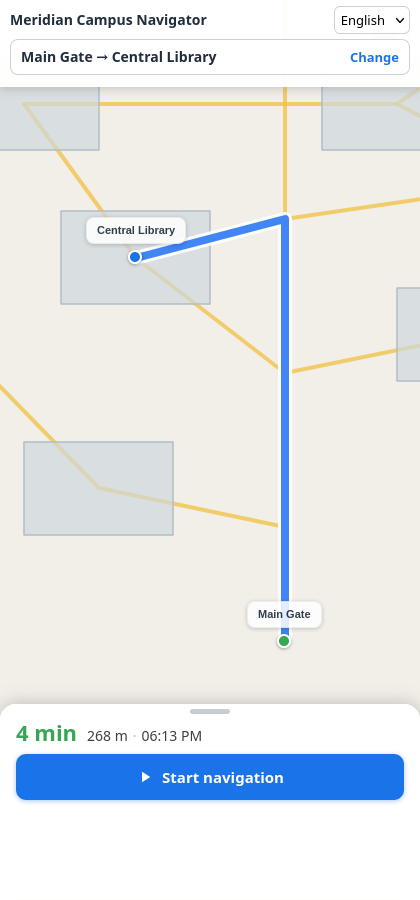
Big campuses break down at the gate.
First-timers get lost
Students, parents, candidates and vendors arrive with no mental map of your site.
Your staff become the map
Security and reception spend their day pointing, not working.
Public maps stop at the address
They route to your gate — not to Block C, second floor, Room 214.
Nobody installs an app for one visit
A native download is the wrong ask for a visitor who will be here once.
And nobody can tell you where people actually get lost — because nothing measures it.
Four steps. About ten seconds.

No app. No download. Works offline.
Scan
A visitor scans the QR sticker at your gate, building entrance or parking block. The browser opens. Nothing to install.
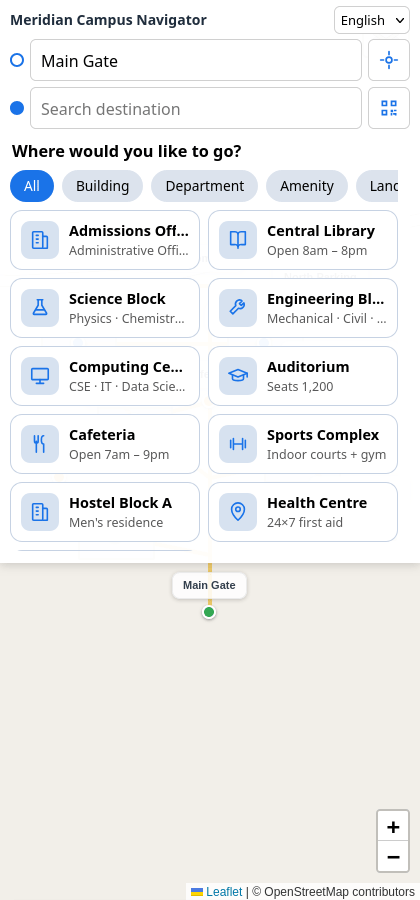
Positioned exactly
The code carries the location's identity, so the starting point is exact from the first moment. No GPS warm-up, no drift, no “searching for your location”.
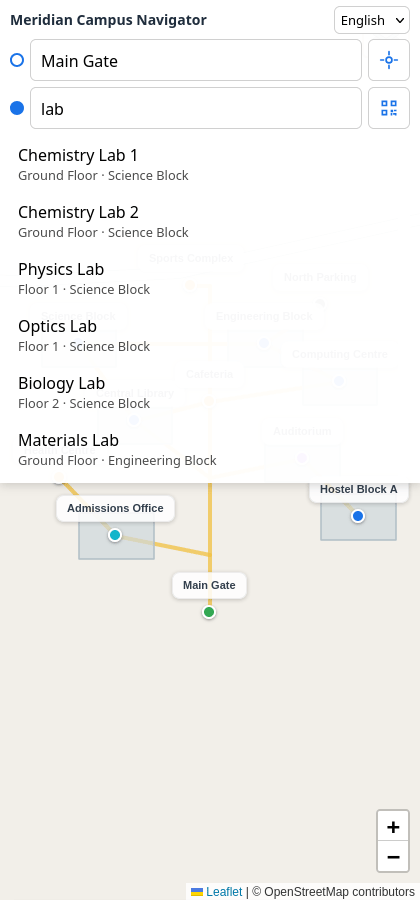
Pick a destination
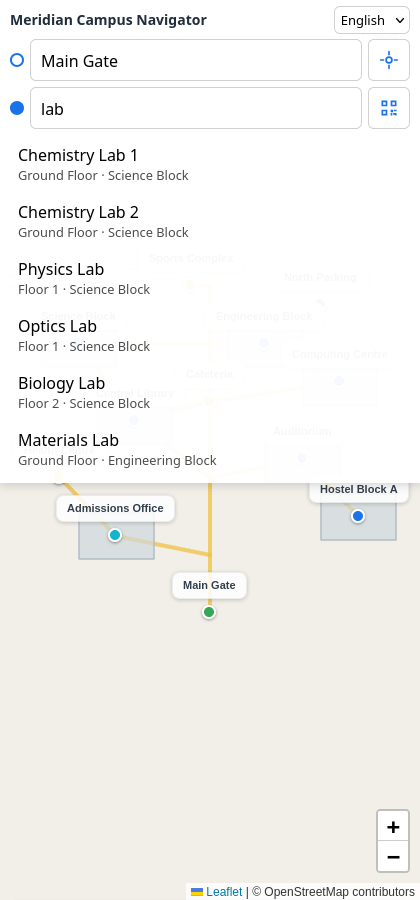
Search any building, department, gate, landmark — or a specific room number. Results appear in the visitor's chosen language.
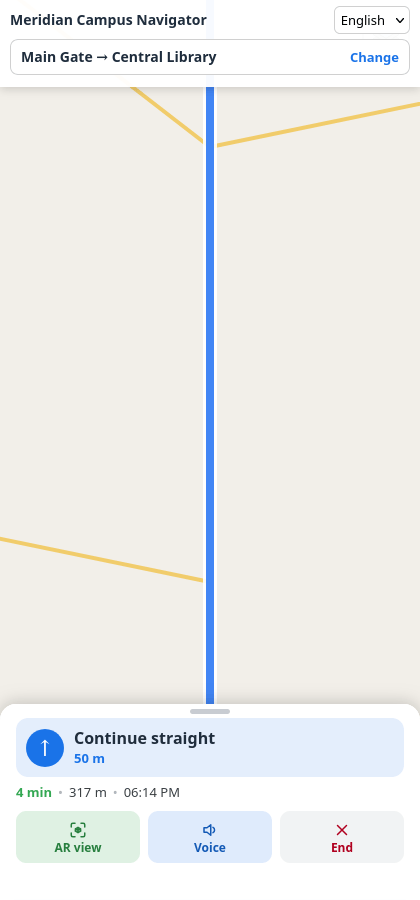
Walk it
Turn-by-turn guidance on your campus's own footpaths, with live distance, arrival time and optional spoken directions.
Everything a campus actually needs.
Built for real visitors on real devices — including the old phone on one bar of signal.
QR positioning
Every gate, building, landmark and parking area gets its own sticker. Scanning fixes the start point precisely — even where satellite accuracy is poor.
Campus-accurate routing
Routes follow your footpaths, corridors, steps and service roads — not public road geometry. That's the difference between arriving at the gate and arriving at the door.
Works offline
The app and your routing graph are cached on the device. When signal drops mid-walk, guidance keeps going instead of going blank.
Voice guidance
Hands-free spoken directions tuned for short campus walks: quiet while walking, speaking at turns, wrong turns and arrival.
AR camera view
Point the phone and follow an arrow overlaid on the live camera feed with a running distance badge. An enhancement on top of the map — never a replacement for it.
Your languages
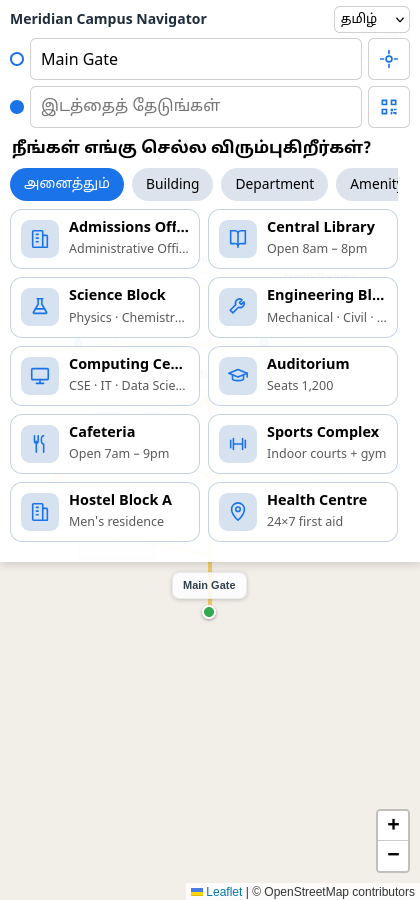
Ships with English, Hindi and Tamil. Then override any label in your own wording — your terminology, your abbreviations, your department names. No code change, no release.
Floors and rooms
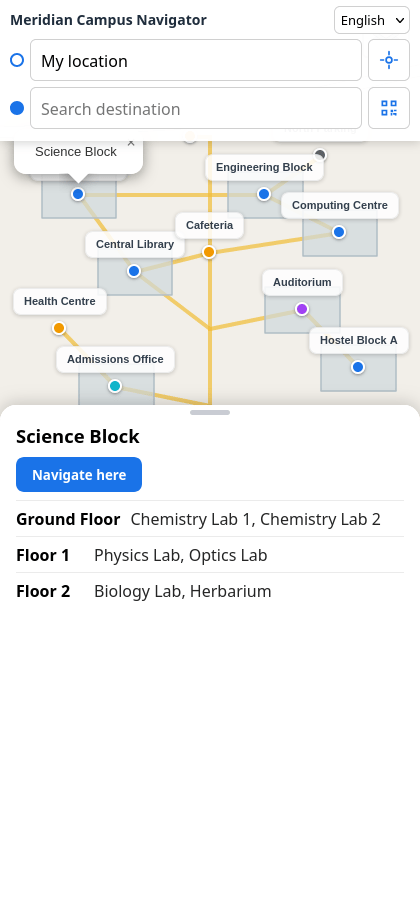
Register floors and room numbers per location. A visitor searches a room and gets routed to the right entrance, and told which floor.
Event mode
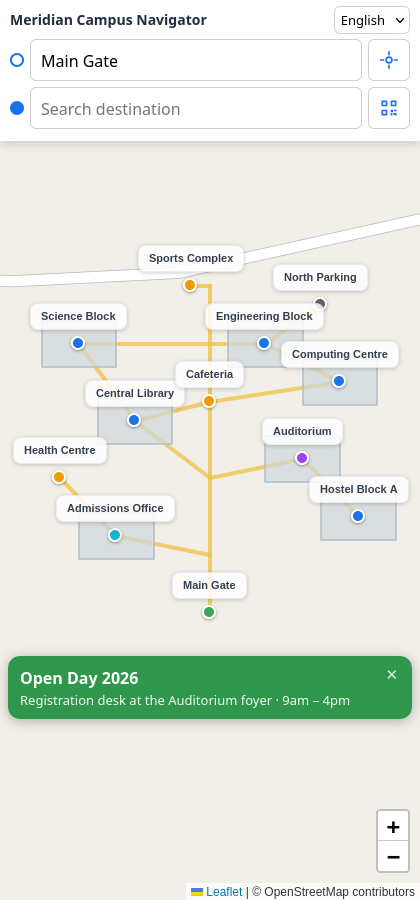
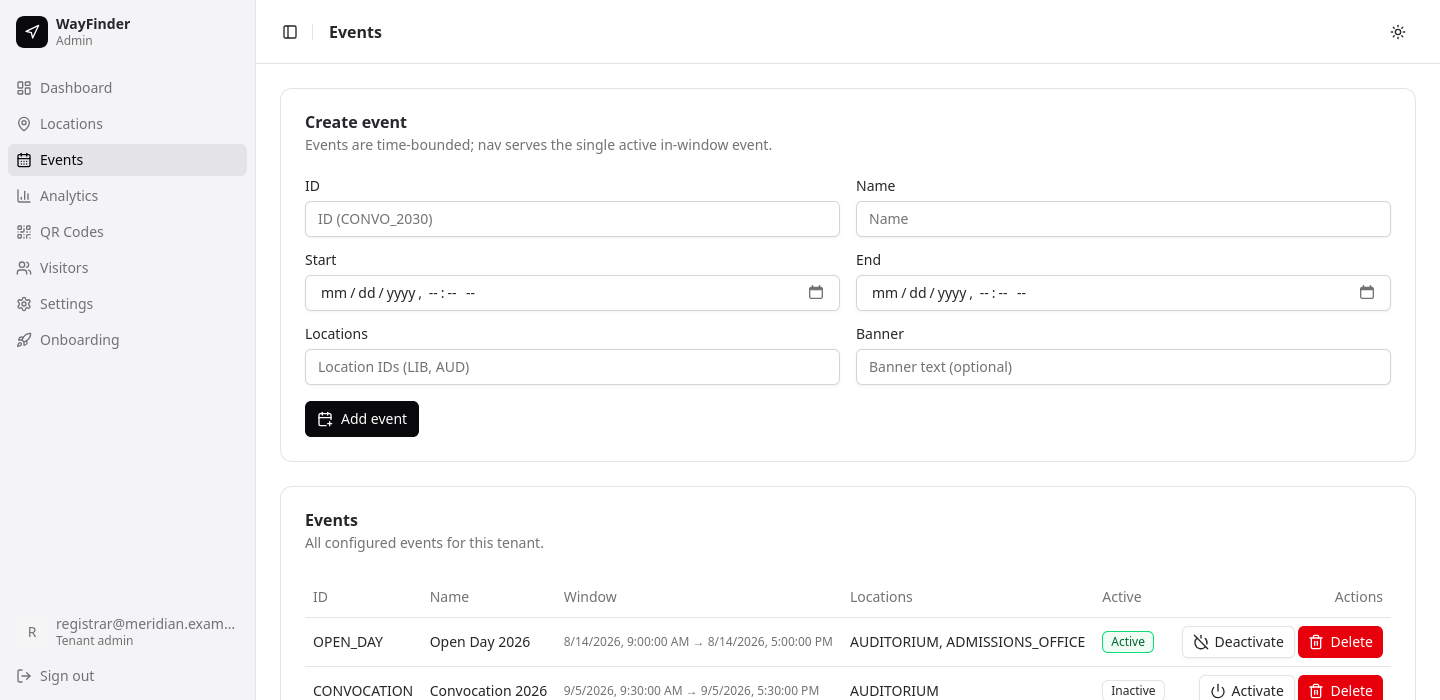
Publish temporary destinations and a campus banner for a date range. They appear in search, activate on schedule and expire on their own. Admissions, convocation, fest, conference — same tool.
QR sticker studio
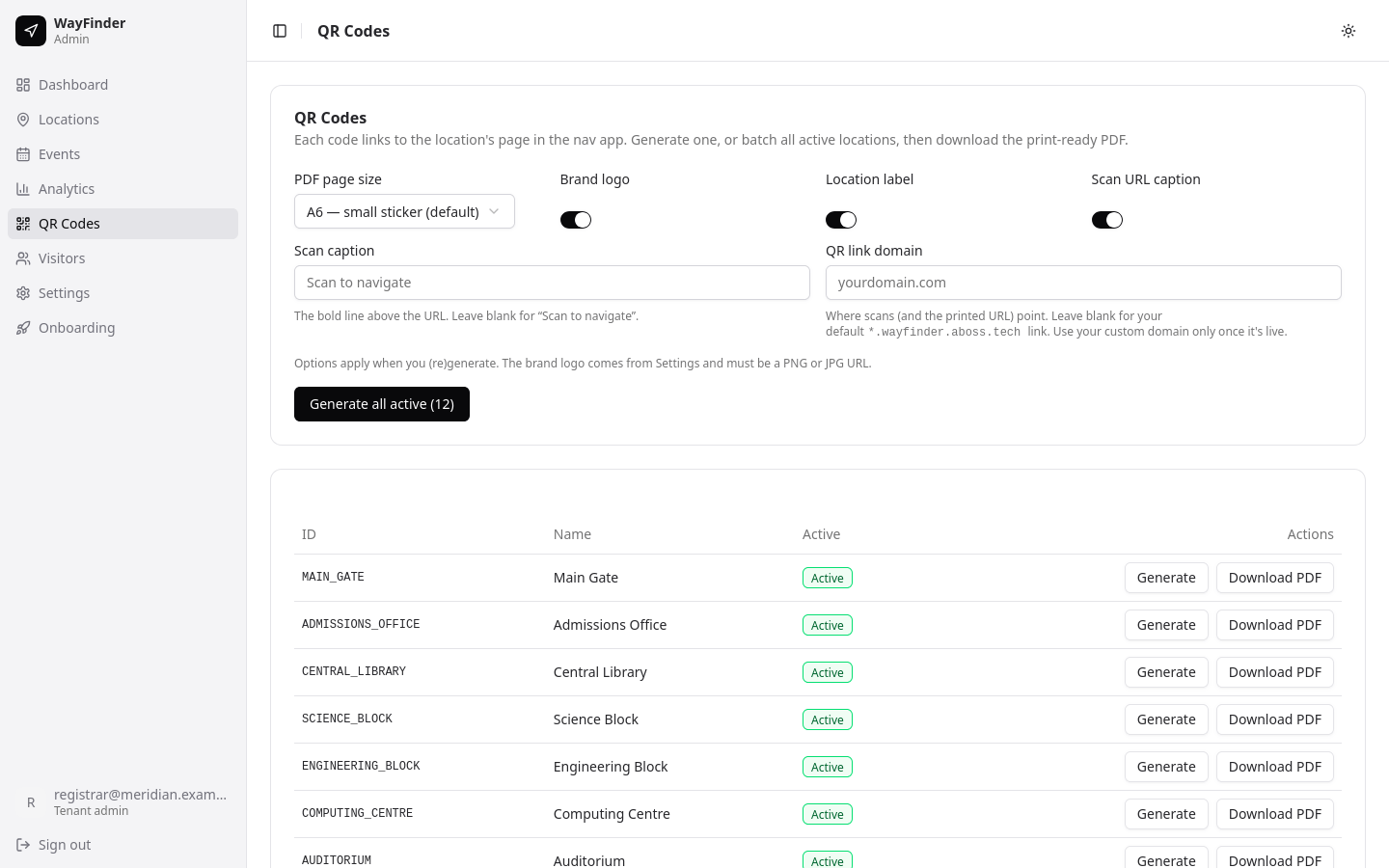
Generate print-ready PDFs with your logo, the location name and your own footer caption. Choose page size, point codes at your own domain, and produce the whole campus in one batch.
Wayfinding that reports back
Find out where your campus confuses people.
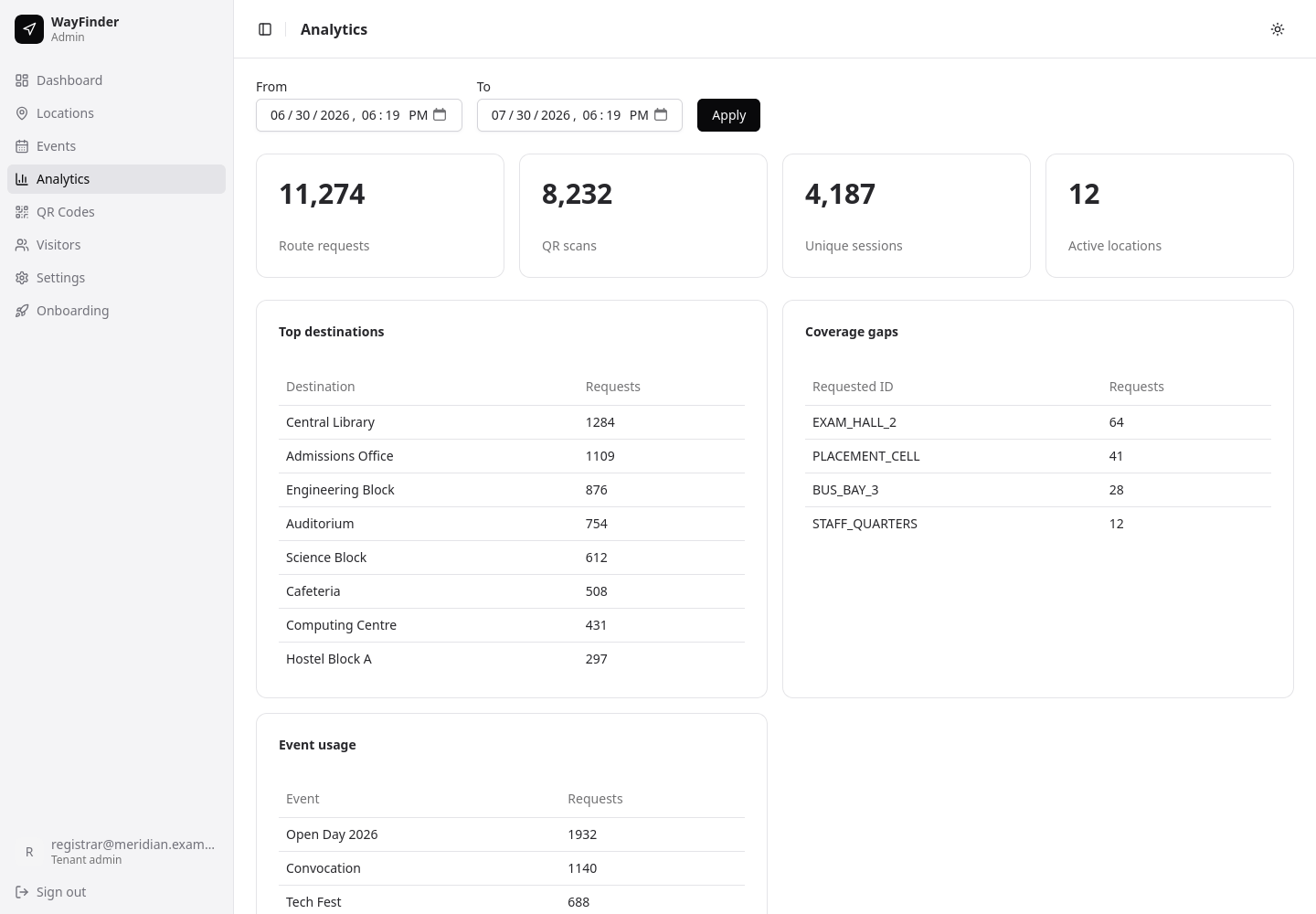
Every scan, search and route request becomes an operational signal. WayFinder shows you what visitors are actually looking for, which destinations dominate demand, and — most usefully — which locations nobody ever reaches.
- Route requests, QR scans, unique sessions and active locations over any date range
- Top destinations, ranked by real demand
- Coverage gaps — locations that are live but never navigated to, so you know where signage or a sticker is missing
- Event-by-event usage, so you can compare one admissions day to the last
Anonymous by default. Analytics use anonymous session identifiers — no names, no numbers, no tracking of individuals. Guest check-in exists as a separate, explicitly opt-in feature you control.
You own your campus data
A control panel your team can actually run.
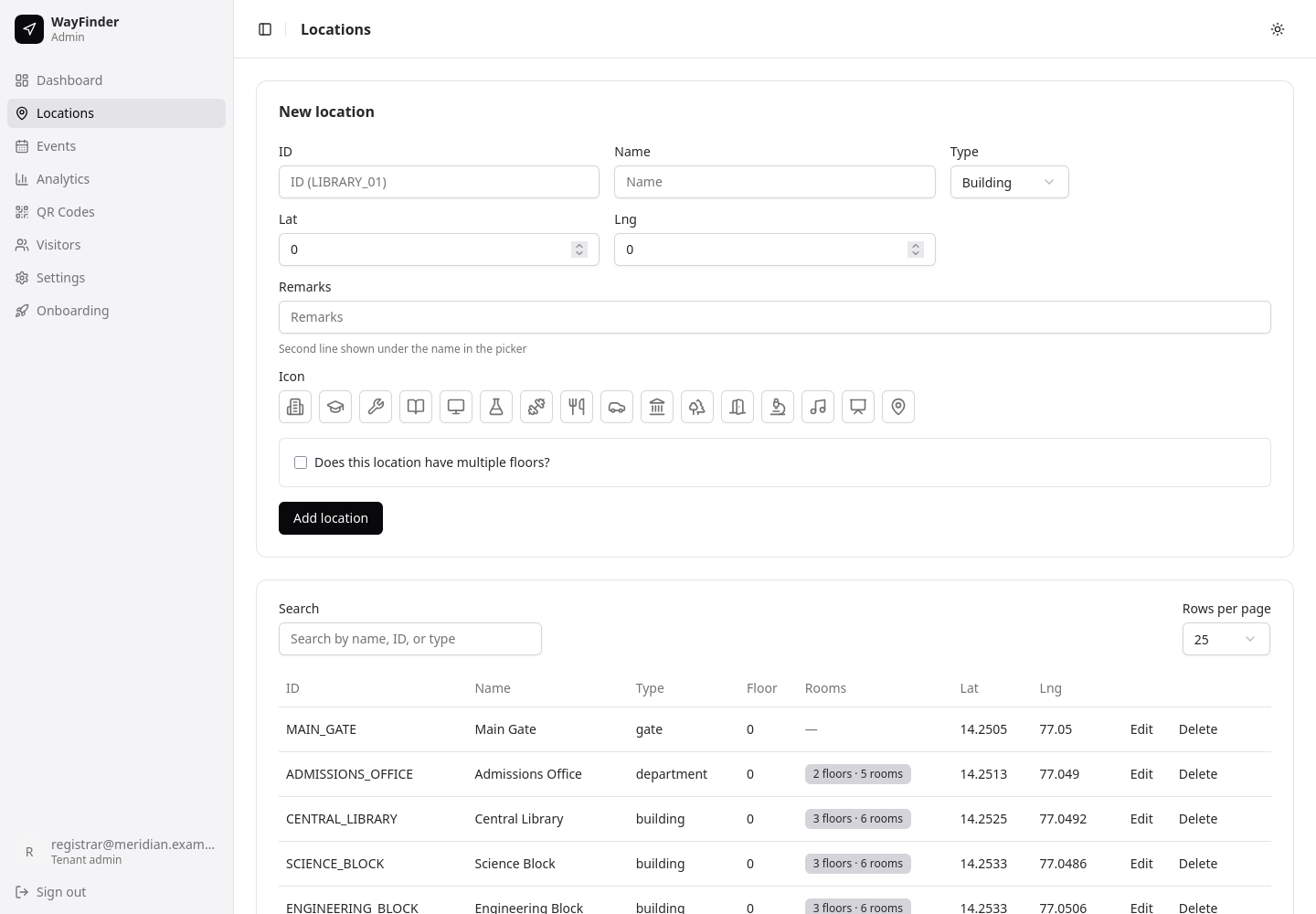
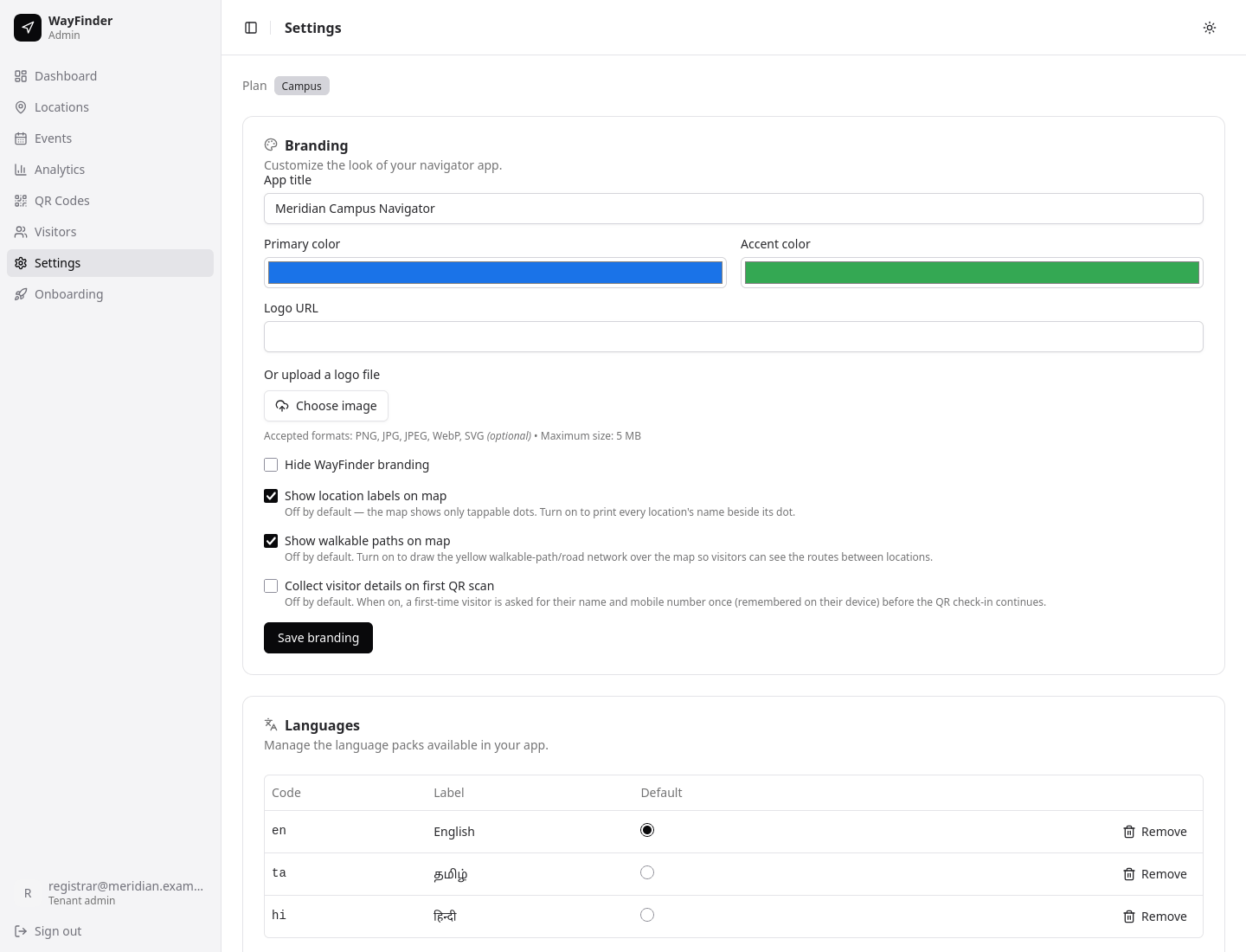
WayFinder isn't a project you have to come back to us to change. Your administrators manage the entire experience themselves, from a clean panel that works on desktop and mobile.
Locations
Add, edit, retire. Set types, per-location icons, remarks, floors and rooms. Search and paginate at campus scale.
Branding
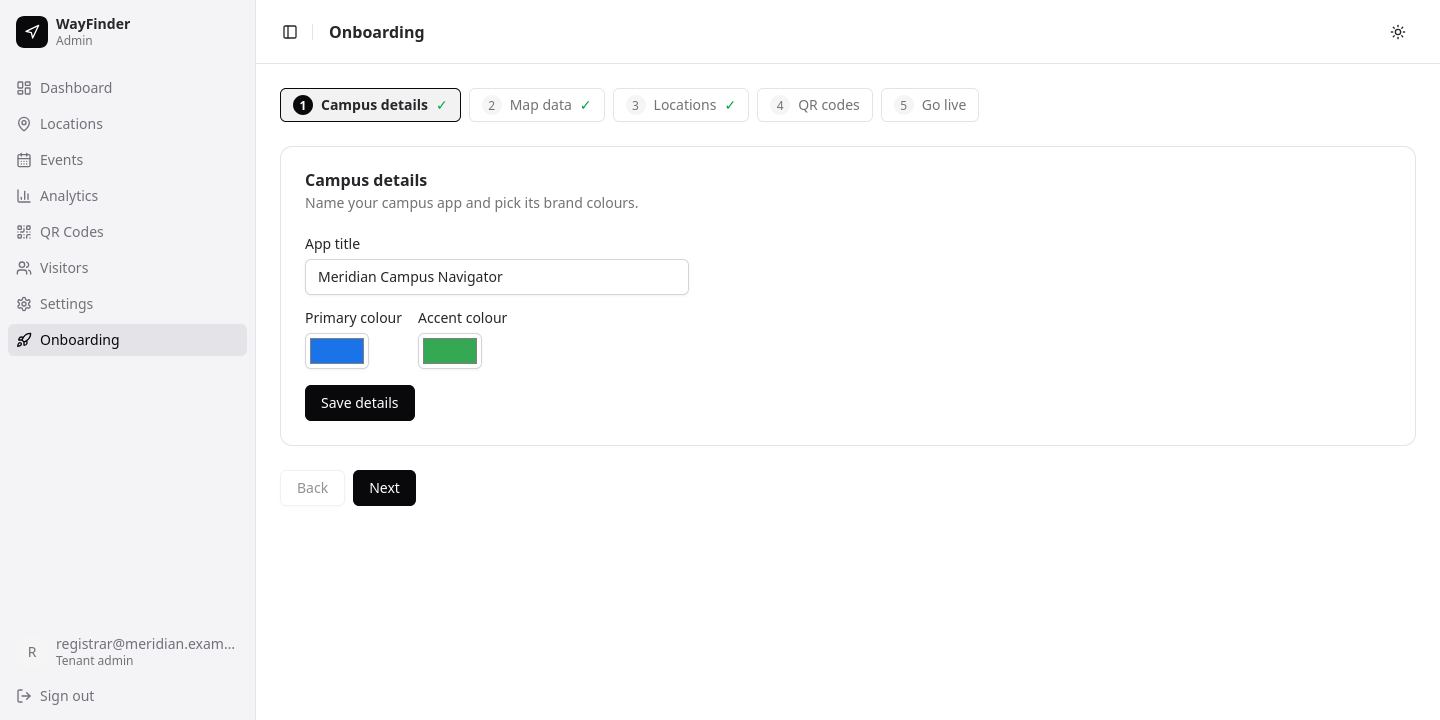
Upload your logo, set primary and accent colours, name the app, and choose what visitors see on the map.
Labels
Rewrite any interface text in any supported language.
Events
Create, activate, deactivate and schedule temporary destinations and banners.
QR codes
Generate, customise and batch-print stickers for the whole campus.
Analytics
KPIs, top destinations, coverage gaps and event usage over any window.
Visitors
Review guest check-ins, if you've chosen to collect them.
Your product, not ours
Runs on your domain, in your identity.
On the Campus and Enterprise plans, WayFinder disappears. Your logo, your colours, your app name, your own domain — verified, connected and issued a certificate automatically. Visitors see your institution's navigation service, because that's exactly what it is.
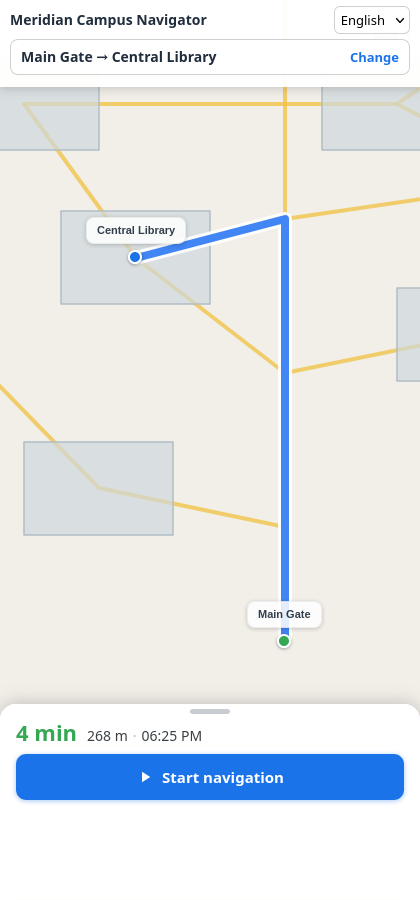
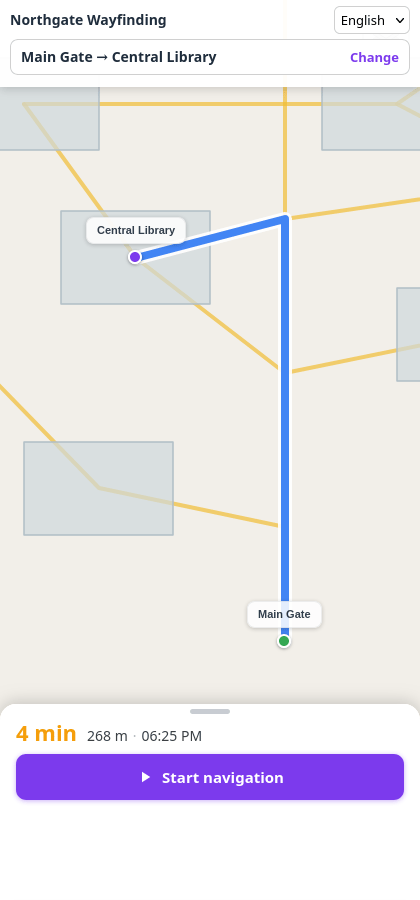
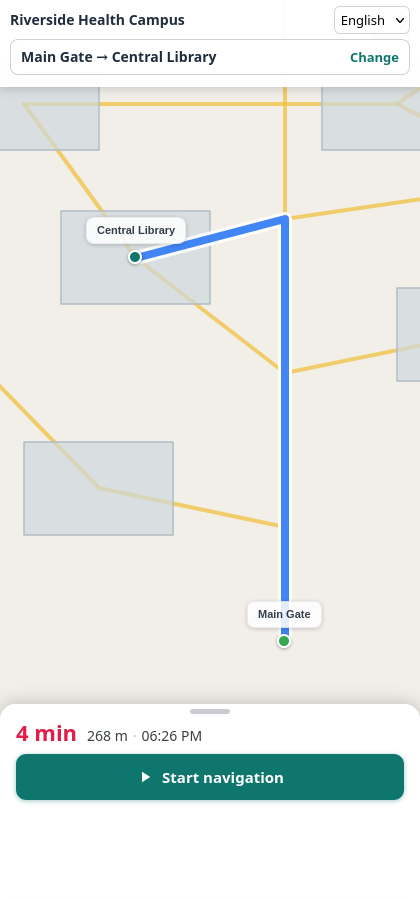
One product, three institutions. App title, buttons, links, markers and timings all follow the tenant's colours.
Your domain
map.yourinstitution.edu, with ownership verification and automatic TLS.
Your identity
Logo, colours and app title applied everywhere, including printed QR stickers.
No WayFinder branding
Removed entirely on white-label plans.
Under the hood
Edge-delivered, region-pinned, tenant-isolated.
WayFinder runs as a single global platform with a hard boundary around every institution.
- Visitor's browserProgressive web app · cached shell · on-device fallback router
- Global edgeStatic delivery · tenant APIs · cache · object store
- Region-pinned originWalking-route engine, in your campus's region
- Spatial databaseYour buildings, footpaths, floors and rooms — the source of truth
Delivered at the edge
Static assets and tenant APIs are served from the network location closest to the visitor, so the map opens fast on a mobile connection.
Routing pinned to your region
The routing engine serving your campus runs in the geographic region your campus is in. Your visitors are never routed through another continent.
Isolated per tenant
Every request resolves its institution from the domain it arrived on. One tenant's data is structurally unreachable from another's.
Enforced server-side
Plan limits live in the API, not the interface. What a plan excludes is refused by the backend, not merely hidden.
One source of truth
Your campus content lives in a spatial database, with read replicas and caches at the edge kept in step by explicit synchronisation.
Single sign-on
Administrator access is federated through ABOSS Accounts. Central identity, not another password for your IT team to reset.
One platform, many kinds of campus.
Universities & colleges
Get first-year students confident in week one. Turn admissions day, convocation and the annual fest into event-mode configurations instead of fire drills. Route candidates to interview halls without a staff escort.
Hospitals & medical campuses
Get patients and families to the correct department, block and floor without stopping at every desk. Free up reception for the questions only people can answer.
Government & administrative complexes
Send citizens to the right office and counter on the first attempt. Reduce queue misrouting and the friction of unfamiliar buildings.
Corporate & industrial campuses
Onboard new employees, guide contractors and vendors, and run visitor days across multi-block sites without printing a new map each time.
Large events & venues
Stand up navigation for a conference, expo or festival in days, with temporary destinations that expire by themselves when the event ends.
Start free. Scale when it matters.
Every plan includes QR positioning, campus-accurate routing, offline fallback, multi-language support, the QR sticker studio and the analytics dashboard.
Starter
Free
For a single campus getting started.
- QR positioning and campus map navigation
- Turn-by-turn walking guidance with voice
- Offline fallback routing
- English, Hindi and Tamil
- Analytics dashboard
- QR sticker generation and printing
- Hosted on a WayFinder subdomain
- Self-serve onboarding
Campus
Monthly
For institutions running the real thing.
Everything in Starter, plus:
- AR camera navigation
- Event mode with scheduled temporary destinations
- Your own custom domain, with automatic TLS
- Full white-label — WayFinder branding removed
- Assisted onboarding and map data loading
- Priority support
Enterprise
Custom annual
For multi-campus and mission-critical deployments.
Everything in Campus, plus:
- Multiple campuses and clusters under one account
- Dedicated onboarding and data-loading support
- Region selection for data and routing residency
- Support SLA
- Custom integrations and procurement terms
Onboarding includes loading your buildings, locations and walkable path network, validating that the network routes end-to-end, and generating your first batch of QR stickers.
From first call to live campus.
Walkthrough
We look at your campus, your visitor flows and your event calendar together.
Map data
Your buildings, locations and footpath network are loaded and validated for end-to-end routing.
Routing built
A routing graph is generated for your campus and pinned to your region.
Your identity applied
Your administrators set branding, languages and labels themselves.
Stickers up, live
QR codes generated and printed, campus live on your domain.
Frequently asked questions

Stop giving directions. Start printing them.
See WayFinder running on a live campus, and we'll walk through exactly what it would take to stand it up on yours.
No install for your visitors. No lock-in on your data.